Custom Smart Labels Not Automatically Categorizing Matching Incoming Emails
I’m experiencing an issue with Custom Smart Labels in FiloMail on Android.
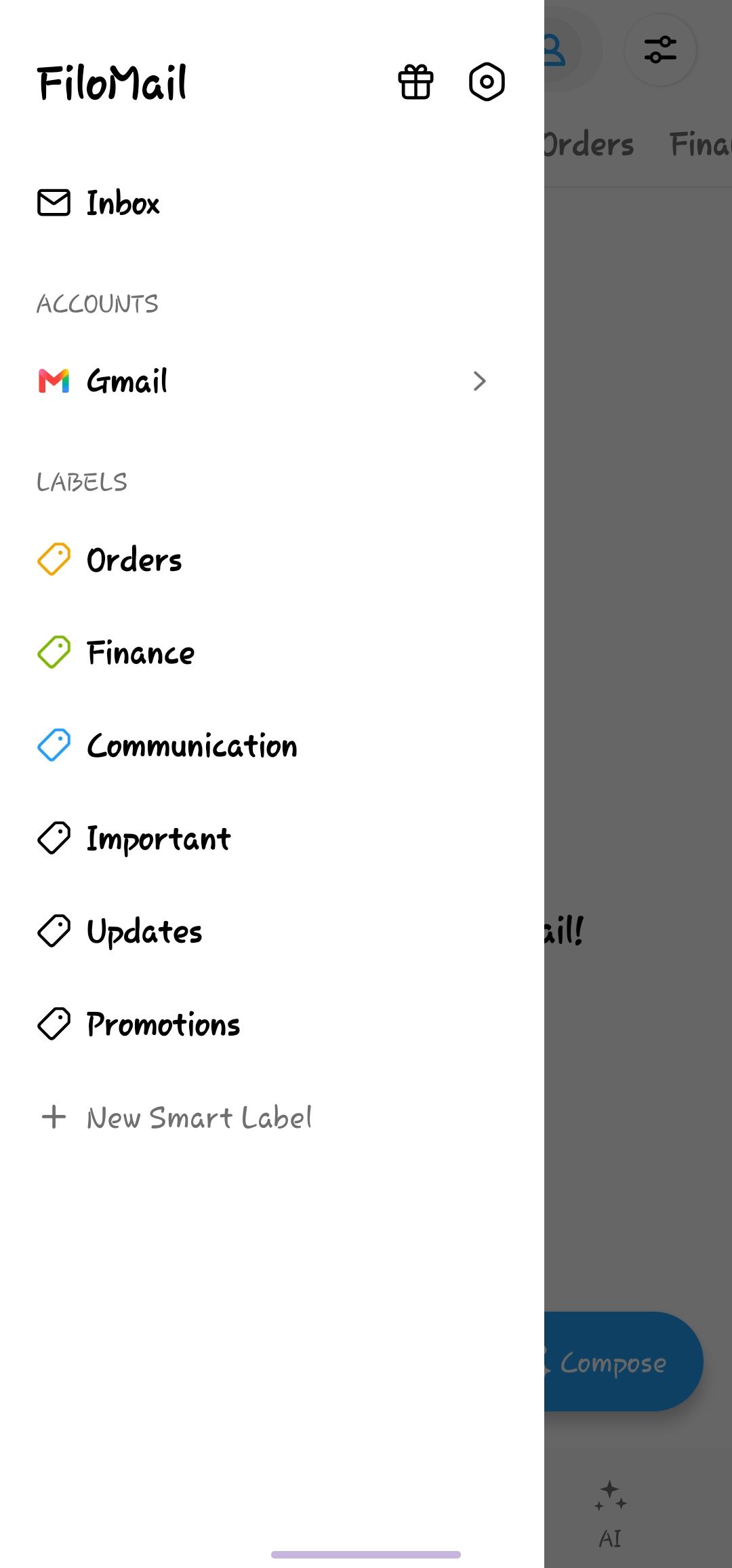
I created three Custom Smart Labels — Orders, Finance, and Communication — with natural-language prompts. However, even after using them for several days, new incoming emails that clearly match the respective categories have not been automatically assigned to those Smart Labels.
Example:
I had an "Orders" Smart Label configured for order confirmations, shipping updates, delivery notifications, and purchase-related emails.
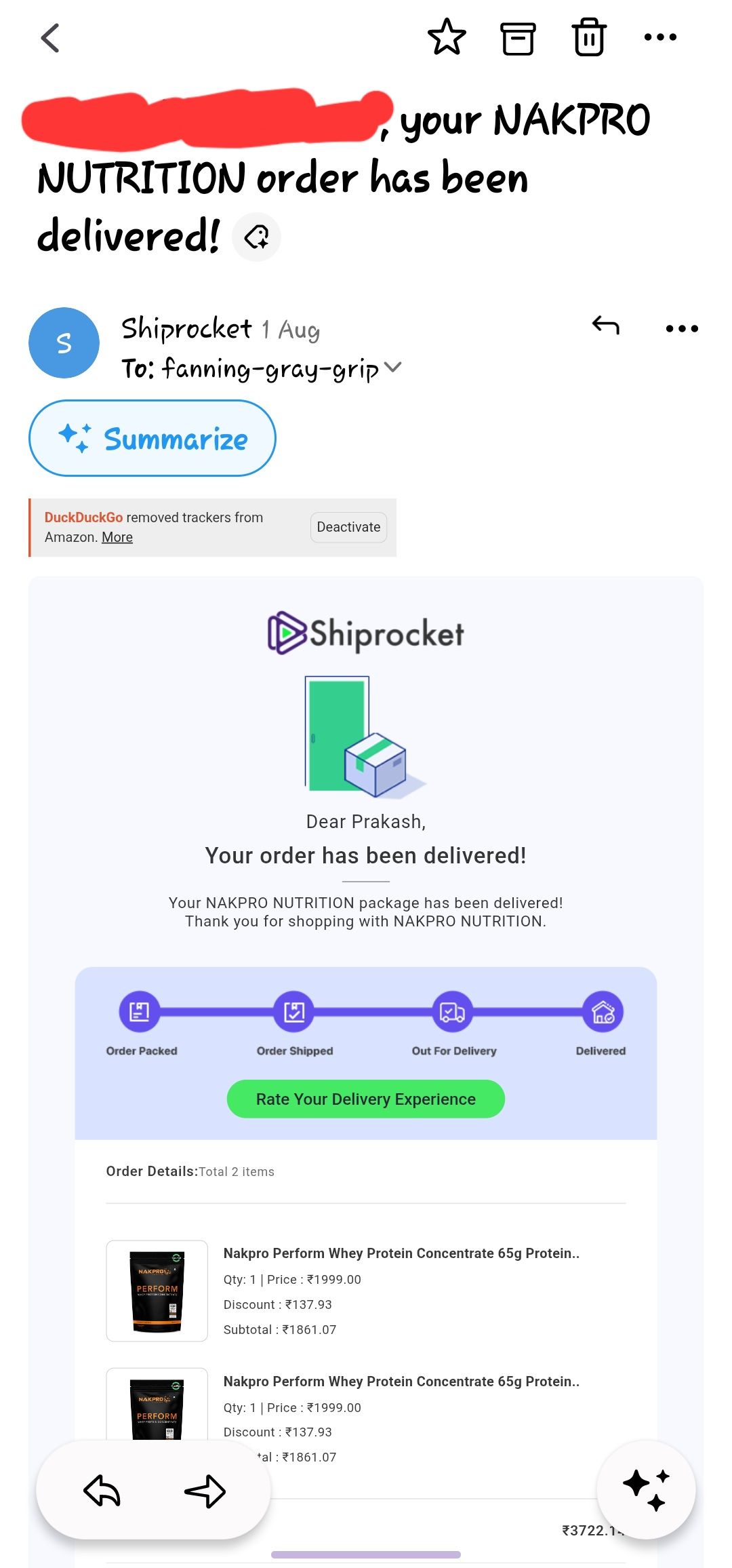
After the Smart Label was already configured, I received a new email from Shiprocket with the subject:
"Your NAKPRO NUTRITION order has been delivered!"
The email clearly contains order and delivery information, but it was not automatically categorized under the Orders Smart Label.
I have observed similar behavior with my other Custom Smart Labels as well.
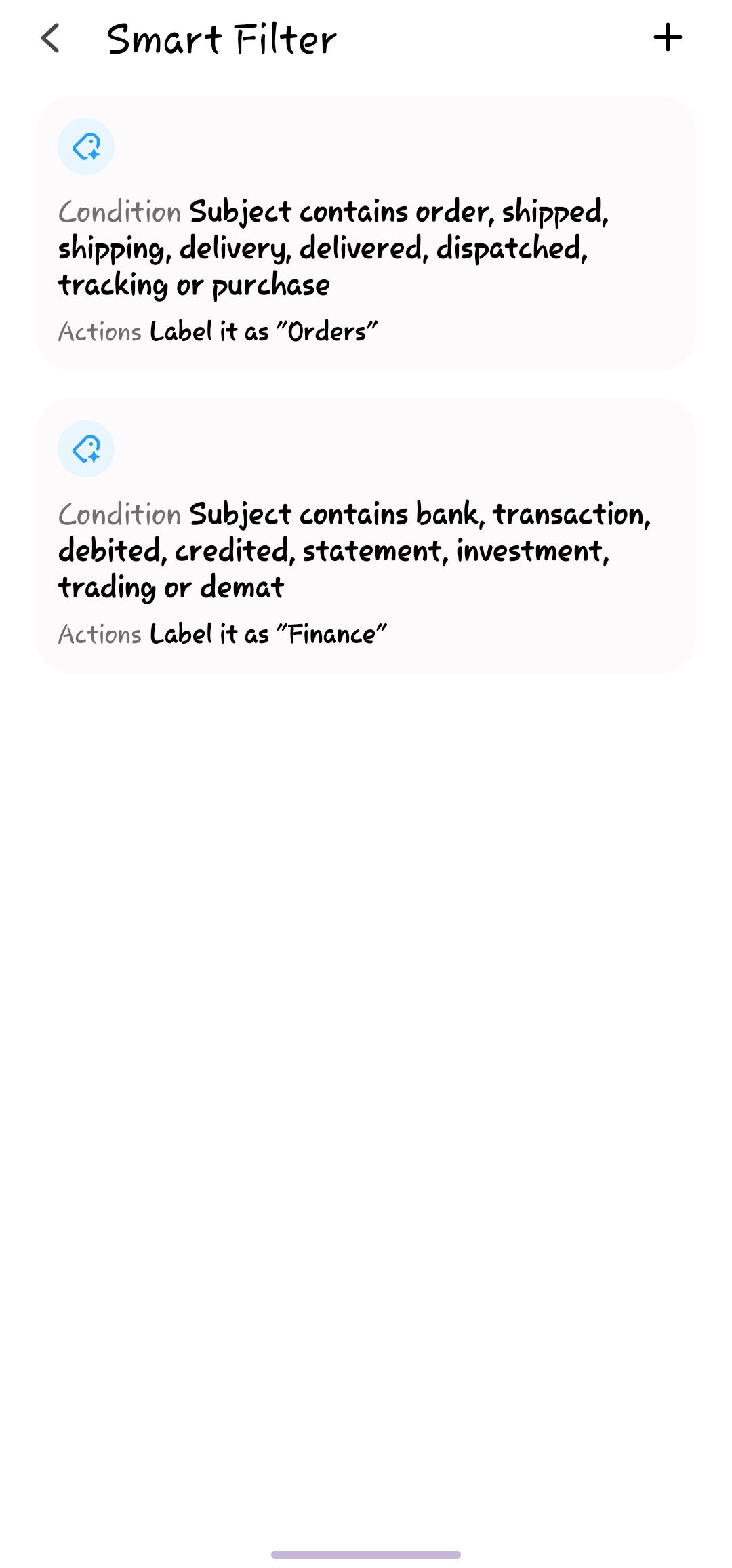
For troubleshooting, I have now updated the Smart Label prompts to make them shorter and more specific, and I have also configured Smart Filters as an additional rule-based layer.
Expected behavior:
New incoming emails that clearly match a Custom Smart Label's prompt should automatically receive that Smart Label.
Actual behavior:
Clearly matching new incoming emails are not being automatically assigned to the corresponding Custom Smart Labels.
Could you please investigate whether this is a bug or whether any additional setting, permission, synchronization requirement, AI/triage quota, or other limitation affects Custom Smart Label classification?
It would also be helpful to confirm whether Smart Labels and Smart Filters work independently and whether Smart Filters can safely assign the same Custom Smart Labels as an additional rule-based layer.
I have also contacted FiloMail Support by email with screenshots and additional details.
Thank you.
Log in to comment and vote
Comments1
Justin
Aug 7
Thanks for the detailed report, and for taking the time to narrow it down with examples.
This is actually a known issue on our side. At the moment, Custom Smart Labels may not always be applied consistently to matching incoming emails.
One of the main reasons is that we’re currently rebuilding part of our AI infrastructure. This is also tied to an upcoming change where users will be able to bring their own API keys directly into Filo, which changes how AI requests are routed and processed under the hood.
Because of that ongoing work, Smart Label classification isn’t as reliable as we’d like right now. Improving its accuracy and consistency is already on our roadmap, and it’s one of the areas we’ll be prioritizing once the custom API integration is in place.
In the meantime, using Smart Filters as an additional rule-based layer is a good workaround, and yes, they can work alongside Smart Labels without conflict.
We really appreciate the detailed reproduction steps and examples you sent—they’re genuinely helpful for us when validating the fixes. Thanks again for your patience while we work through this.